
Guides · November 5, 2026
Get your Google Business Profile verified, and what to do the week after
Until Google confirms you run the business, your listing is only half yours. Here is how verification works, how long it takes, what to avoid while you wait, and what to do the week after.
Your business probably has a Google listing already, whether or not you ever made one. The question is whether Google knows it is yours.
Verification is how Google confirms that you run the business at that address and phone number. Until it happens, you can change a few details, and some of those changes may never show up. After it happens, you can edit everything, and Google says verified listings are more likely to appear in local results.
It is a one-time job, and most of it is waiting. Here is how it works, in the order you will meet it.
Before you start: three quick checks
Most failed verifications trace back to something fixable before you ask for a code.
- Use your real name. Enter the name your customers and your sign know you by. Google does not allow extras in the name, such as a slogan, your services, your hours or a phone number. Those go in other fields.
- Use a real address, or hide it. A virtual office or a mailbox at a remote location is not accepted as an address. If you go to your customers, such as a cleaner, painter or mover, set up a service area and hide your home address instead of showing it.
- Be a business Google can verify. Google verifies shops, offices, service-area businesses and hybrids of the two. A business with no in-person service, only online, is not eligible.
If you are not sure which setup fits you, our Storefront Checkup looks at it with a person's eyes. Or read on and pick the one that matches how customers actually reach you.
Which verification will you get?
Google decides which methods you are offered, based on your business type, your location and what it already knows about the listing. You cannot choose. Here is what you may see.
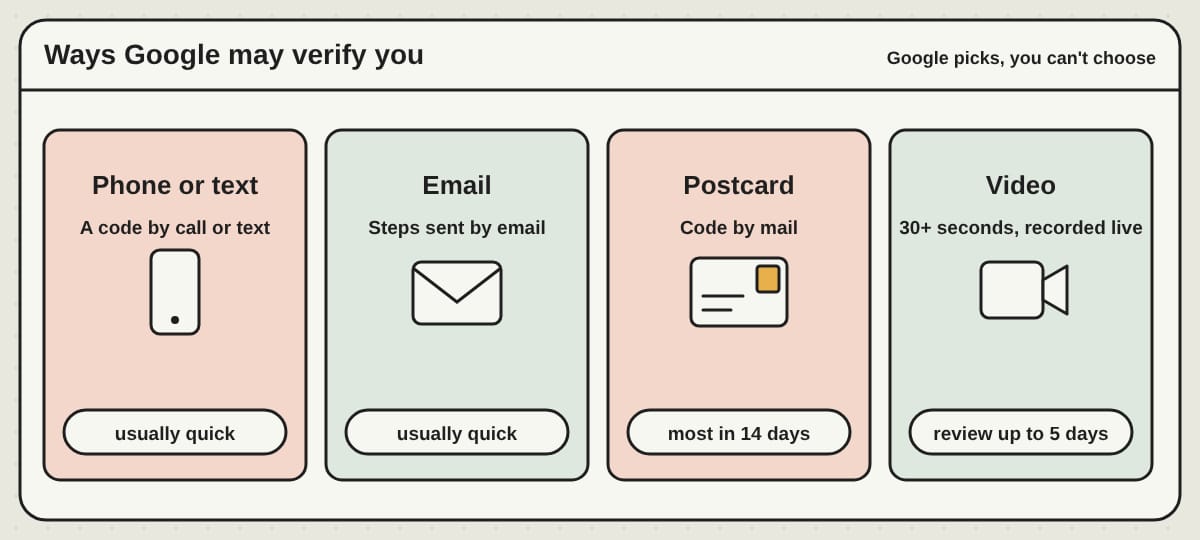
- Phone or text. A code comes by call or text. It needs a real person to answer. Phone menus and answering services can't receive it.
- Email. You follow the steps in an email sent to an address you can open.
- Postcard. Google mails a code to your business address. Most arrive within 14 days, and the code expires after 30. Hold on to the card when it lands and type the code in right away.
- Video recording. Google recommends this one when you are eligible. The video has to be at least 30 seconds, recorded live and unedited, and sent from your phone through your profile. A shop shows its street, its name on a permanent sign or window and a task only staff do. A service business shows its tools or branded items and proof that it runs the work, such as doing a job, unlocking a branded vehicle or showing a permit or invoice. Keep bank numbers, ID numbers and other people's faces out of the shot. Google may take up to five business days to review it.
- Live video call. For some businesses, a Google representative guides you through a call from your business during open hours.
Some businesses need more than one method. Google will tell you.
While you wait: what not to touch
This is where owners trip. If you asked for a postcard:
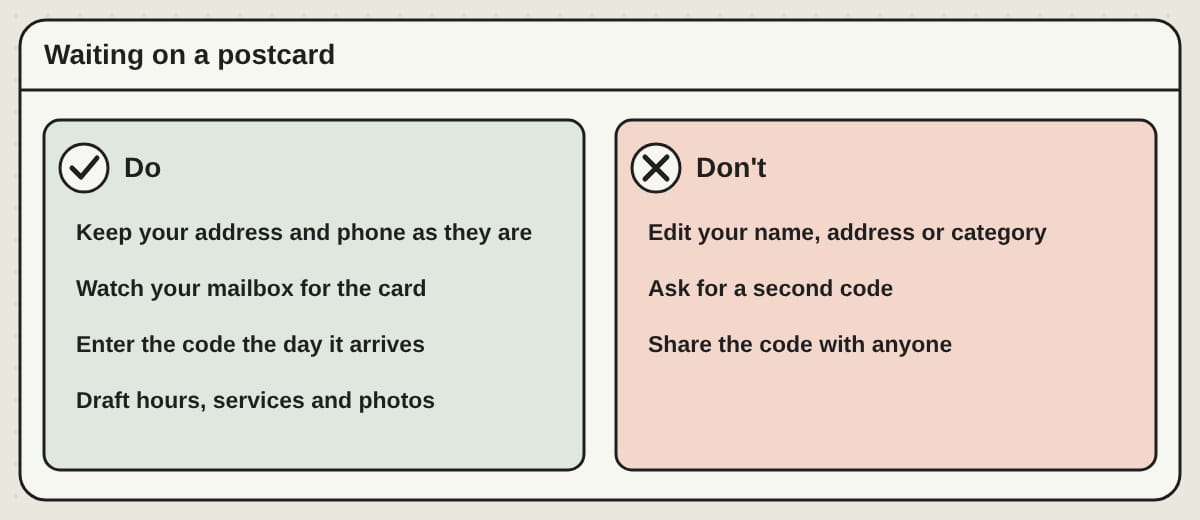
- Do not change your business name, address or category. Google says editing them while you wait can make the code stop working.
- Do not ask for a second postcard. A new code cancels the first one and can slow everything down.
- Do not share the code. Google says it will never ask you for it. Anyone who does is not Google.
Use the days to get your material ready: your hours, a list of your services, a handful of real photos. When you pass, you can fill the profile in one sitting.
If it stalls
If a "Get verified" button comes back after you thought you were done, Google could not complete it. Go through the steps again. If a video was turned down, open Review issues in your profile to see what was missing, then record a new one that includes everything from the first plus what Google asked for.
Suspensions are a different problem and usually come from the listing breaking Google's guidelines, most often a business name with extras added. Fix the listing first, then ask Google to look at it again through its reinstatement form.
What changes once you are verified
Before verification you can change some details, such as your name, category, address, hours, phone number and website. To edit everything, you have to verify. After you do:
- Your edits are still checked. Google reviews changes against its guidelines before they go live. It says that usually takes about 10 minutes, and sometimes up to 30 days. So do not panic if a change takes a day to show.
- You can edit everything, and Google treats the listing as yours.
- You can use the rest of the profile: services, attributes, posts and photos. Here is what is worth doing first.
Hours, including holidays. Wrong hours are the quickest way to lose a customer who shows up ready to buy. Fix them the day they change, and add holiday hours before the holiday. If you close for part of the year, the seasonal listing guide covers which status to pick.
Categories and services. Pick the category that matches the main thing you do, then add secondary ones for the rest. A painter who also hangs drywall chooses Painter first. Then list your services in plain words.
Attributes. Those are the details customers filter by, such as wheelchair access, free estimates, women-led or outdoor seating. Fill in the ones that are true. A restaurant also gets menu and reservation links, so point them at a current menu with prices, not a three-year-old PDF.
Photos. Real ones win: your front, your inside, your work, your crew, your van. Phone quality is fine. A single blurry logo is not.
Posts. Posts are short updates, offers or events at the top of your listing. They are optional, and there is no weekly rule. Google archives posts older than six months unless you set a date range, so a post about a sale should say when it ends.
Questions. Google has been replacing the public Questions and Answers section with an AI "Ask" button that answers from your profile, your website and your reviews. What your listing shows can differ from the next one, so check yours. The safe move is to put the answers customers keep asking for where Google reads them: your description, services, hours and an FAQ on your website.
None of this ranks you by itself. Google says local results are based mainly on relevance, distance and prominence, and that there is no way to pay for a better ranking. What you can do is be accurate, complete and answered.
The upkeep nobody has time for
A verified listing that nobody touches goes stale. Hours change, a review sits unanswered and a customer drives to a locked door. The habit that works is small:
- Monthly: check hours, reply to new reviews, add one photo or update.
- A few times a year: reread your services and attributes.
- Before every holiday: hours.
It is about fifteen minutes. The honest part is that it has to actually happen. If you will not log in, the listing decays no matter how well it was verified.
Your profile and your website do different jobs
Your Google listing is what appears when someone searches for what you do, in your town, tonight. Your website is where they decide to call you, book or buy. Keep the two saying the same thing: the same hours, the same services and the same phone number. Customers notice when they do not match.
If you would rather hand it off
We run websites for small businesses, and the Google profile is a separate service you can add. Our Google profile service claims or recovers your listing, corrects the categories, writes the description, enters your services, adds your photos, and then keeps hours, photos and reviews current every month, with a reply to every review within two business days and a short report each month. It works alongside your PageTend website or on its own if you are keeping the site you have.
One part cannot be done for you. Verification exists so Google can confirm that you run the business, so the code or the video comes to you: a call to your phone, a card in your mailbox, a short recording at your location. We tell you what to expect and what to say yes to. After that, you add us to your listing as a Manager, which takes about two minutes. You stay the owner, we can edit the listing but cannot remove you or delete it, and you never share a password. The step-by-step guide is on our Google access page.
Questions we hear
How long does Google Business Profile verification take? Phone, text and email codes are usually quick. Postcards usually arrive within 14 days. Video verification can be reviewed in up to five business days after you submit it.
Can I verify without a postcard? Sometimes. Google decides which methods you are offered and you cannot change that. If a postcard is the only option, expect up to two weeks.
Can I edit my listing before it is verified? A few details, yes, but edits made before verification may not appear. Do not edit your name, address or category while you wait on a postcard.
Does it cost anything? No. Creating, verifying and managing a Business Profile is free. Paying someone to manage it does not buy a better position on the map.
Do I need a website for my profile to work? No, the profile stands on its own. A website gives customers more room to decide, and a way to book or buy.
Can someone else manage my profile? Yes. You can add a person or a company to your listing with a role such as Manager and keep ownership yourself. You can remove them from People and access at any time.
Written by Frank Yang, founder of PageTend. He has written software for 30 years and builds PageTend with AI, so small businesses never have to think about their websites.
Rather not do any of this yourself?
We build your website, keep it current and look after your Google listing. You email us; we make the change.
More posts
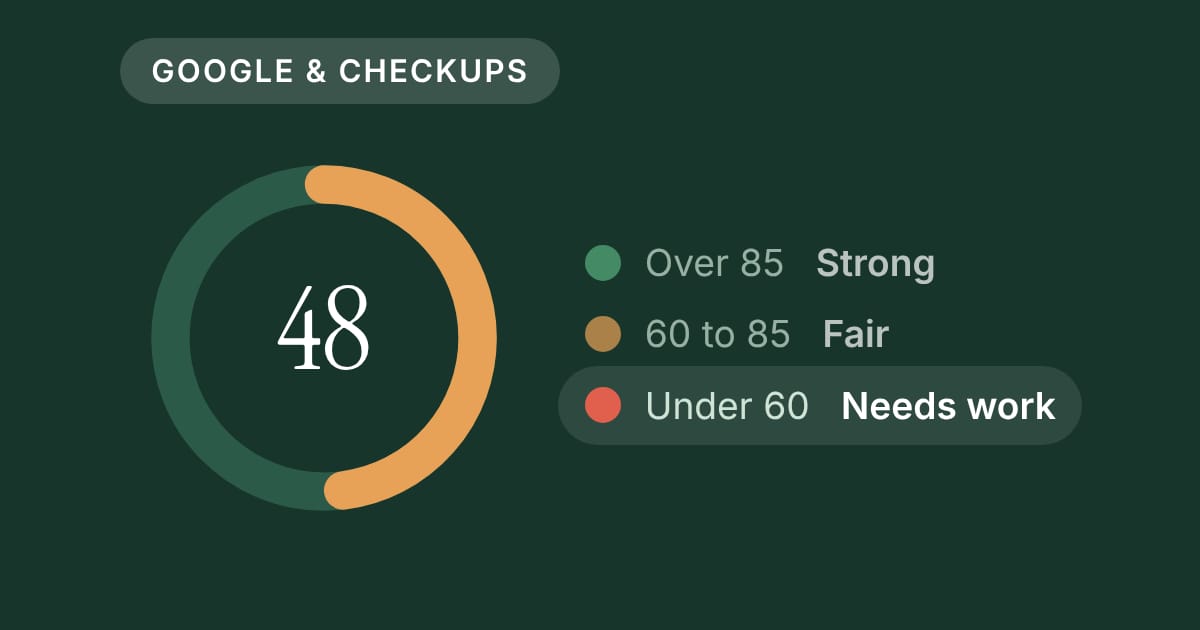 What does a website score really mean? How our PageTend Score worksEvery Storefront Checkup now opens with a score out of 100. Here is what it counts, why some things weigh more than others, and what a number like 48 tells a business owner.
 Moving your Shopify or Etsy shop to your own websiteWhat it takes to move a Shopify store, or bring your Etsy listings, to a shop on your own website: one file, your old links kept, and a preview before you pay.
 Closed for the season? Keep your Google listing honestA garden center, a fishing charter or a holiday attraction can close for months and still be found every day. Here is how to set your Google listing for the off-season, and get it ready to reopen.